The moderators and managers can directly request transcripts for each session via the project page and have them ready within hours.
Where can I find my session transcript?
To access the transcript, the session must be finished. If it's still in progress, a moderator or co-moderator can end it for you. Check out this article for more on how to do that.
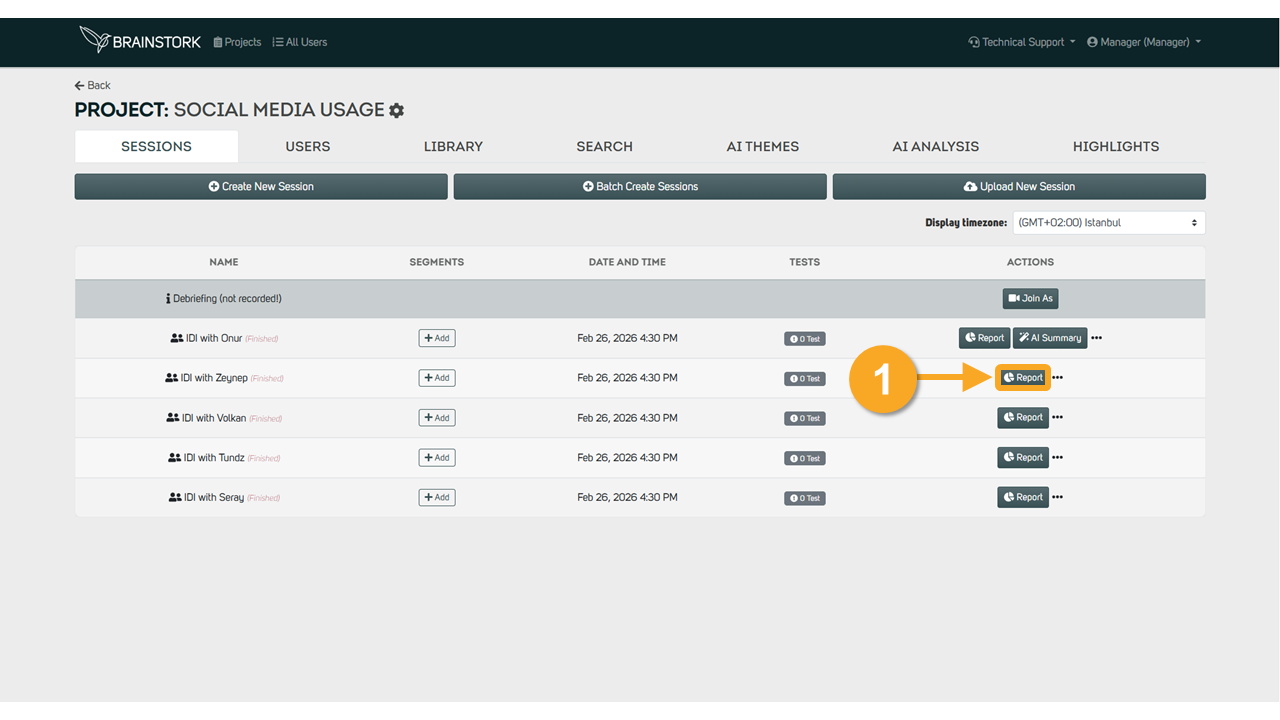
1- Click on the "Report" button next to the session name.
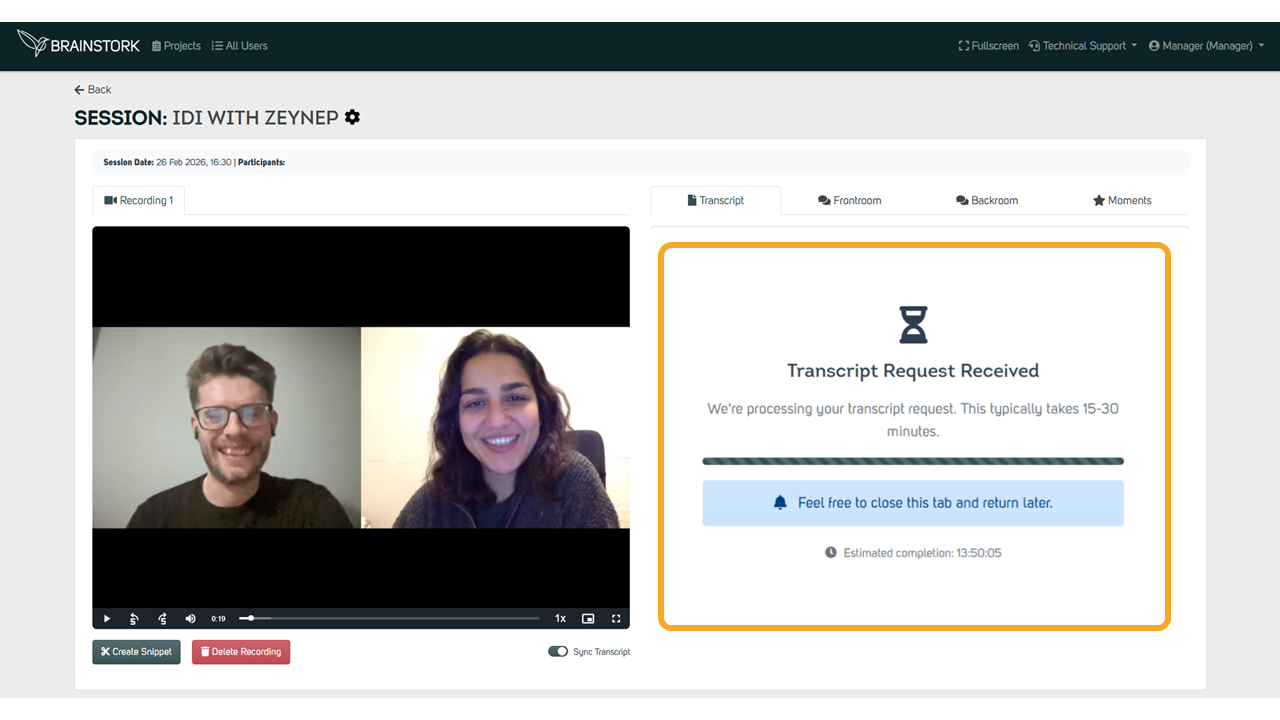
2. A transcript request must already be processing automatically.
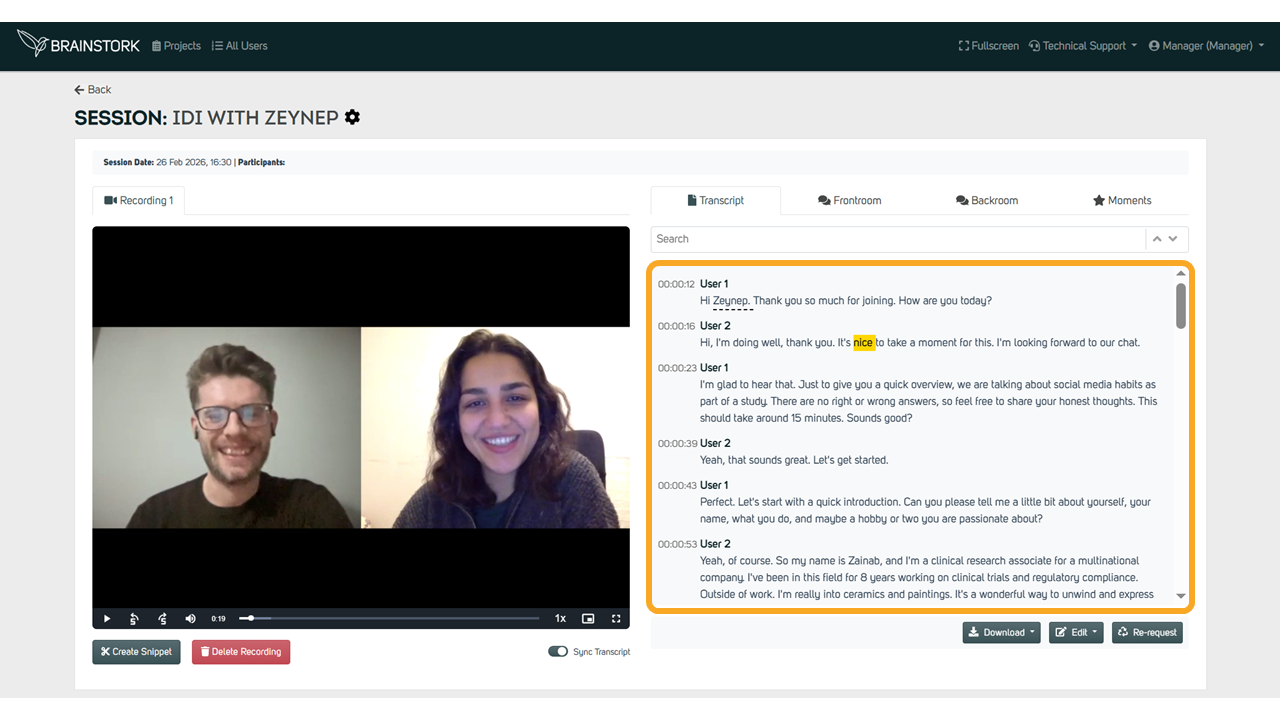
3. The transcript will be available on the report page after a short while.
What are the Functions of the Transcript Feature?
1. Turning on "Sync" will match the transcript text with the session recording.
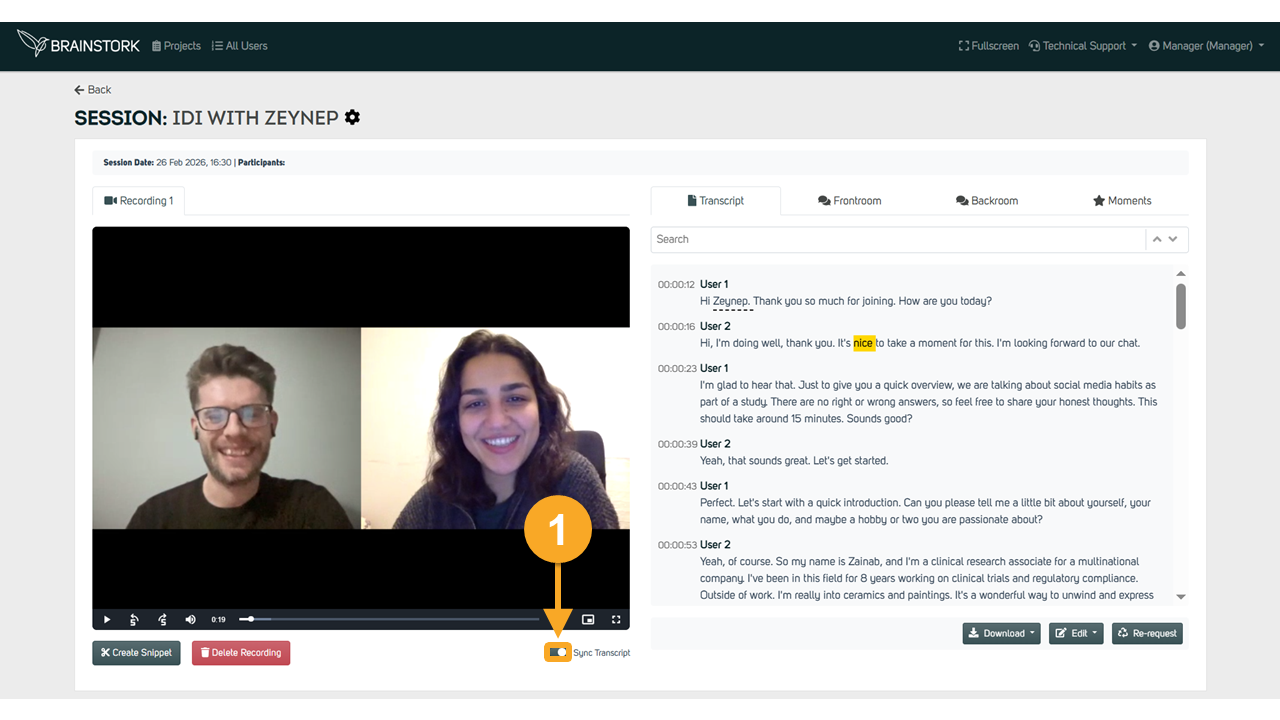
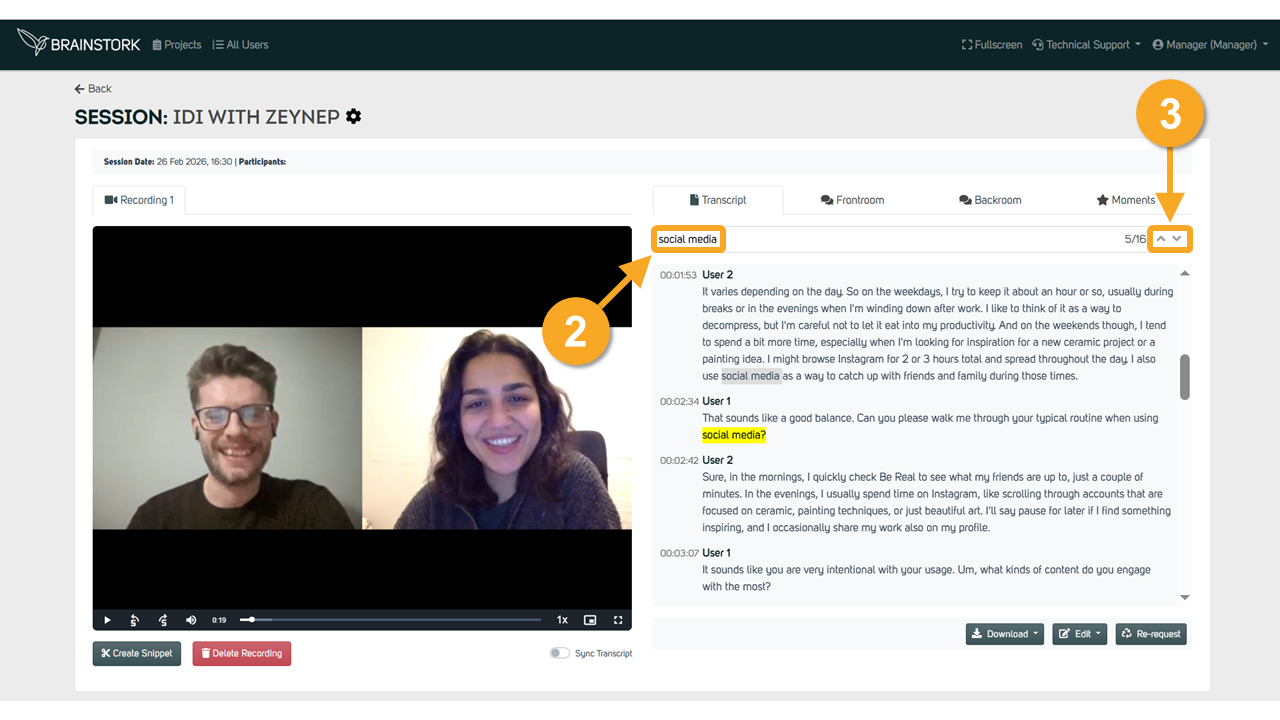
2. Use the search bar to find a word in the transcript, the first match will appear, use the up and down arrow to see all instances.
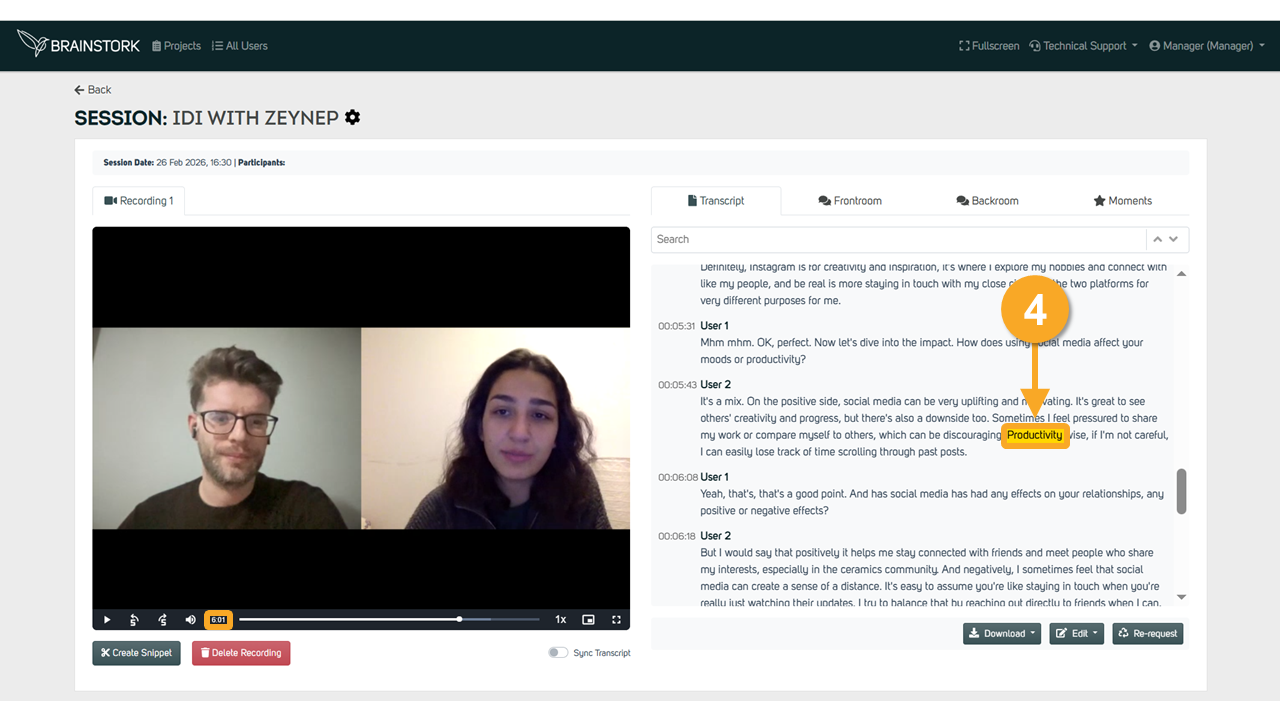
3. Click on a word in the transcript, and the recording will jump to that point.
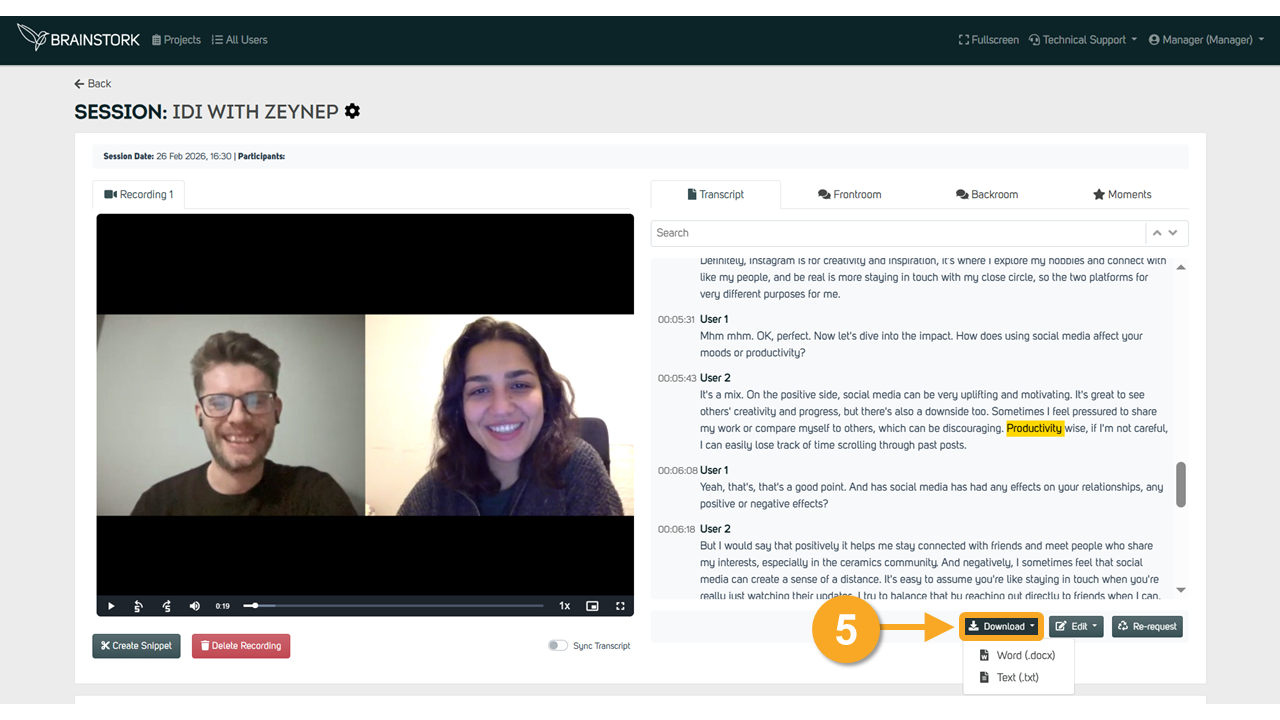
4. Download the transcript text by clicking the "Download" button below the recording and choosing your desired file format.