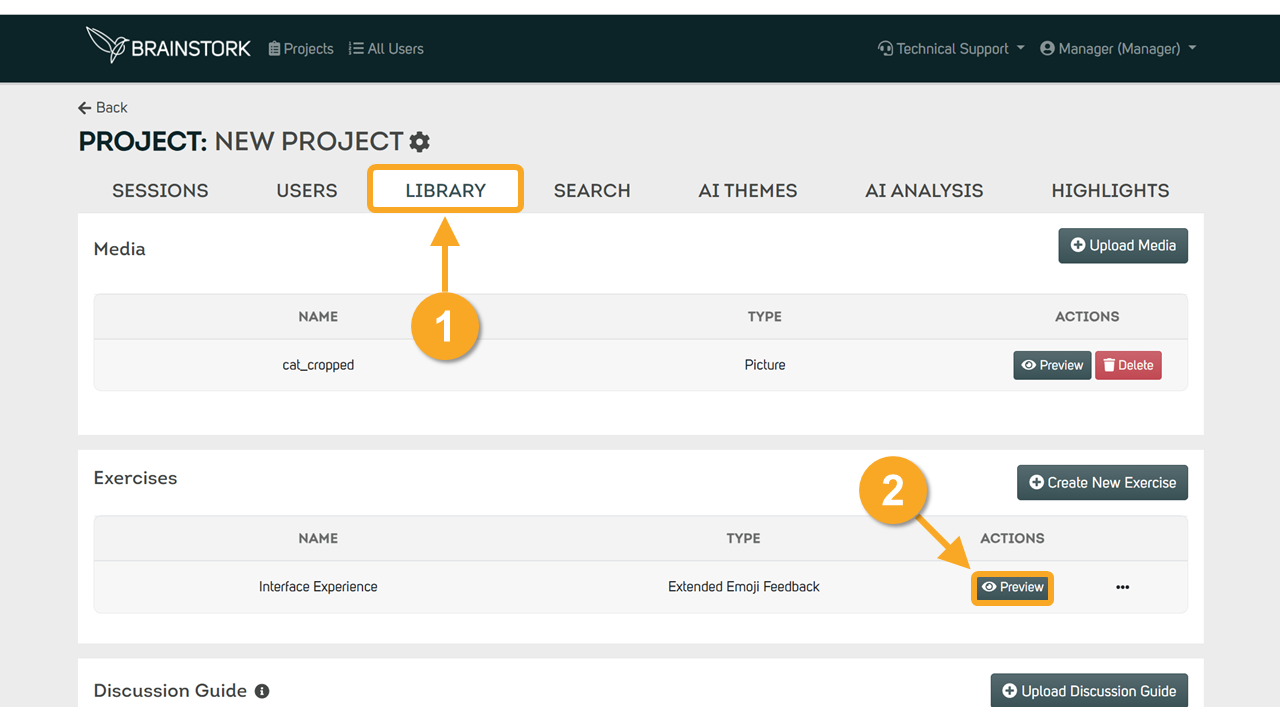
To preview or delete exercises, you need a Brainstork manager or project manager account. Only pre-created exercises can be deleted from your project page.
To Preview an Exercise:
1. Go to the "Library" tab on your project page.
2. Preview the exercise by clicking the "Preview" button
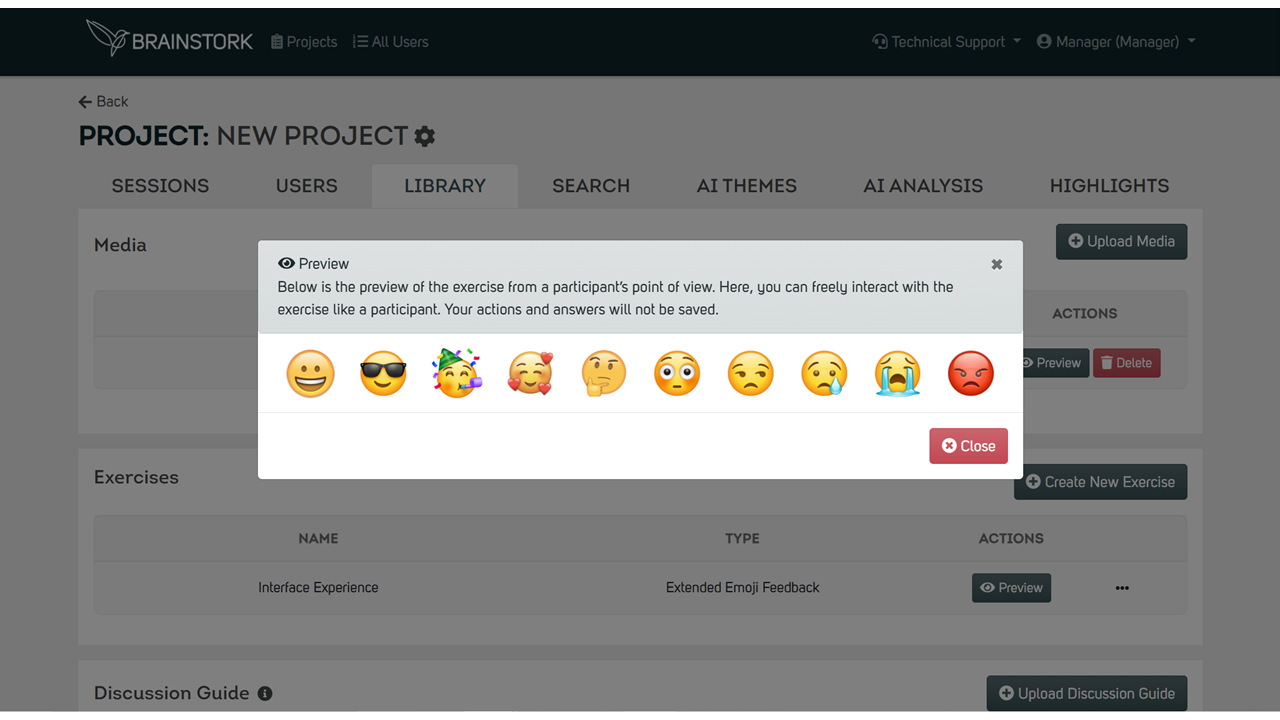
3. A pop-up displaying the exercise question will appear.
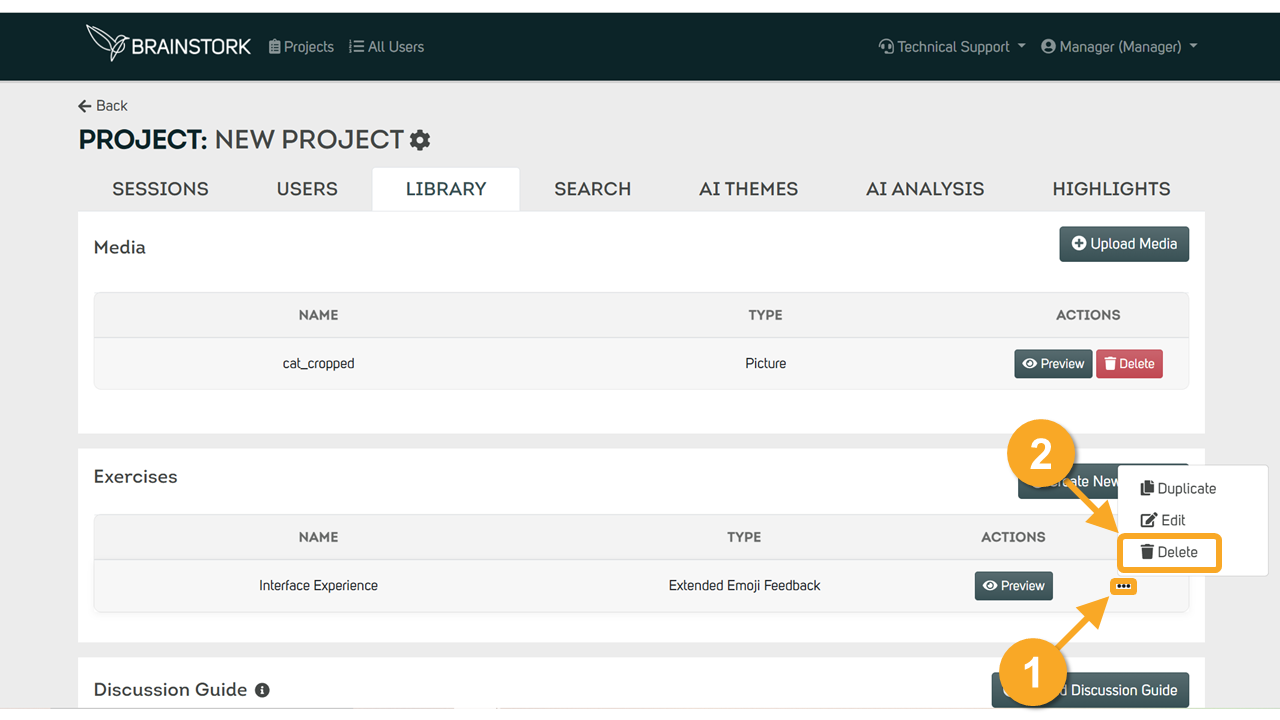
To Delete an Exercise:
1. Click on the three-dots next to the exercise you want to delete.
2. Delete the exercise by clicking on the "Delete" button.
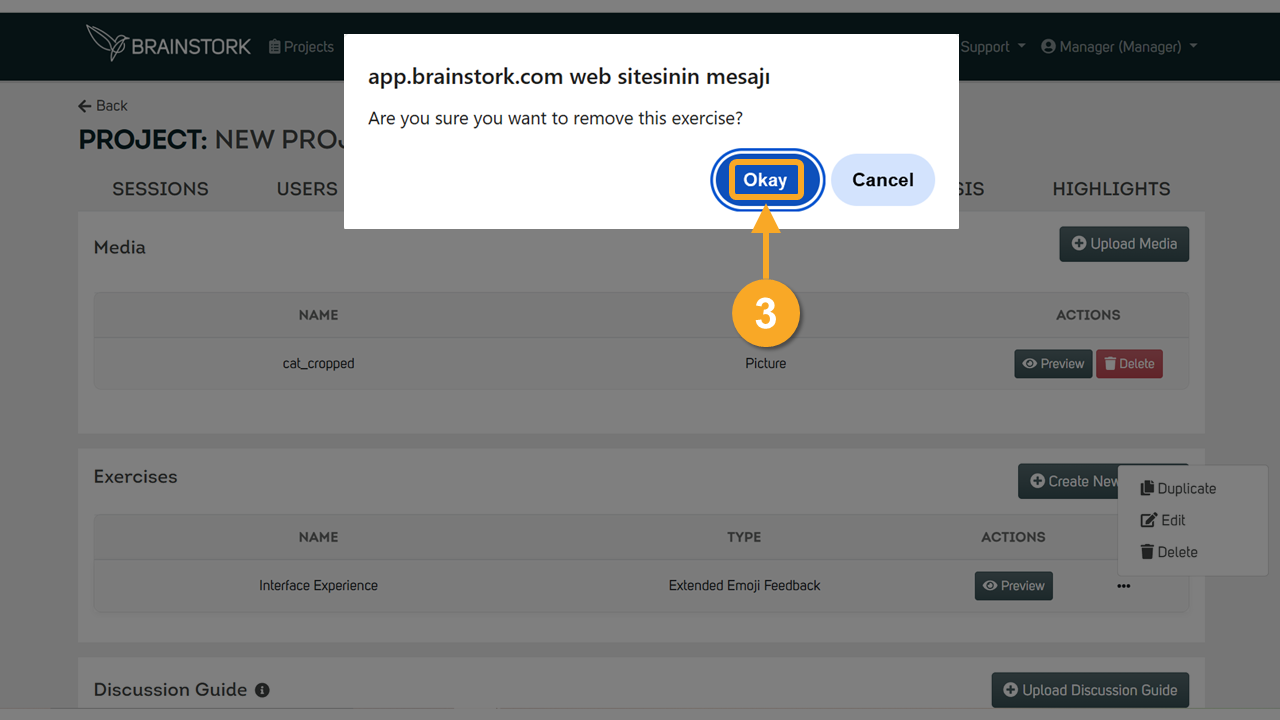
3. Click "Okay" on the pop-up window.